How to make Tax Payment on FTA Emaratax?
There are several ways to make tax payment to FTA online by log in to Emaratax. Tax payment can be made by GIBAN or credit/debit card. Businesses and individuals must pay their outstanding tax liability to Federal Tax Authority (FTA) using Emaratax portal.
There are two modes of tax payment to FTA online:
1. Magnati to pay by debit or credit card
2. GIBAN to pay by bank transfer or at an exchange
Procedure to make VAT Payments to FTA on EmaraTax
Step 1: Log In to the FTA EmaraTax Portal
- Visit the Federal Tax Authority (FTA) EmaraTax portal: https://eservices.tax.gov.ae.
- Enter your email and password or login using UAE pass.
- Complete the CAPTCHA and click Log In.

Step 2: Access Tax Payer
- Click on ‘View’ in the Tax Payer’s name
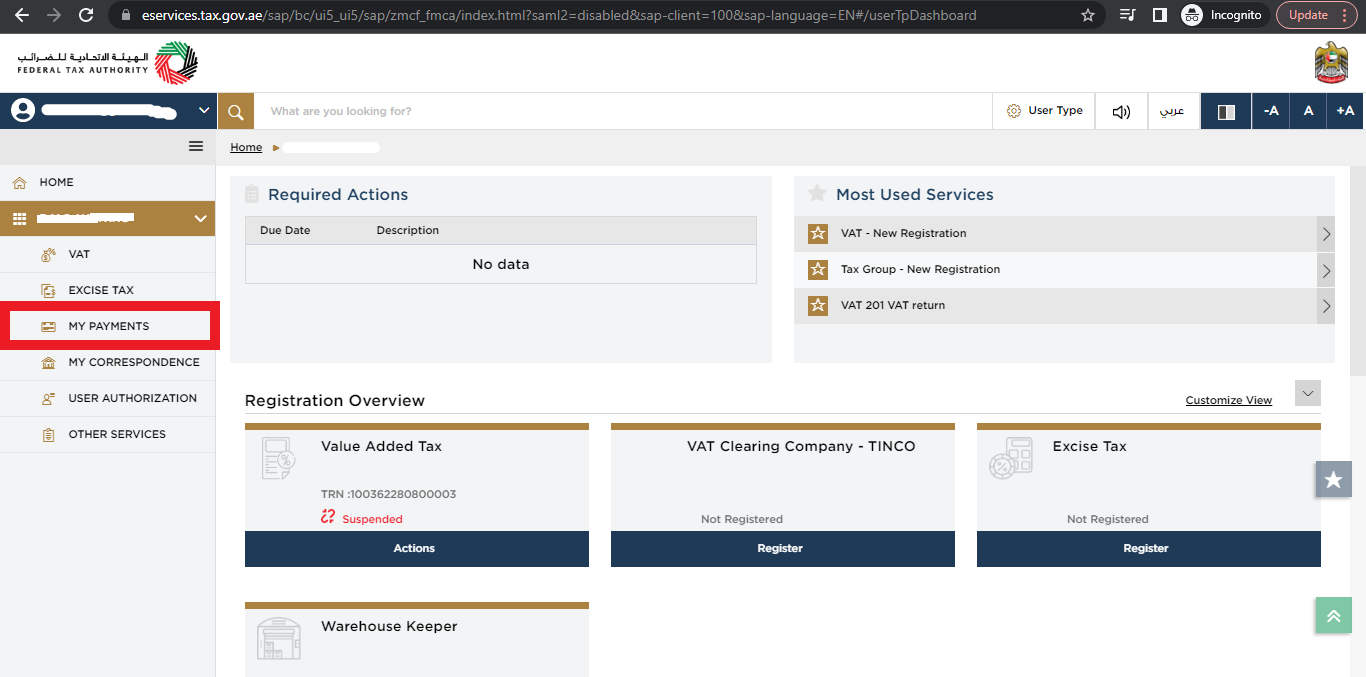
Step 3: Choose my payments in the navigation bar on the left side of the page.
- Click on ‘My Payments‘ on the left side of the menu.
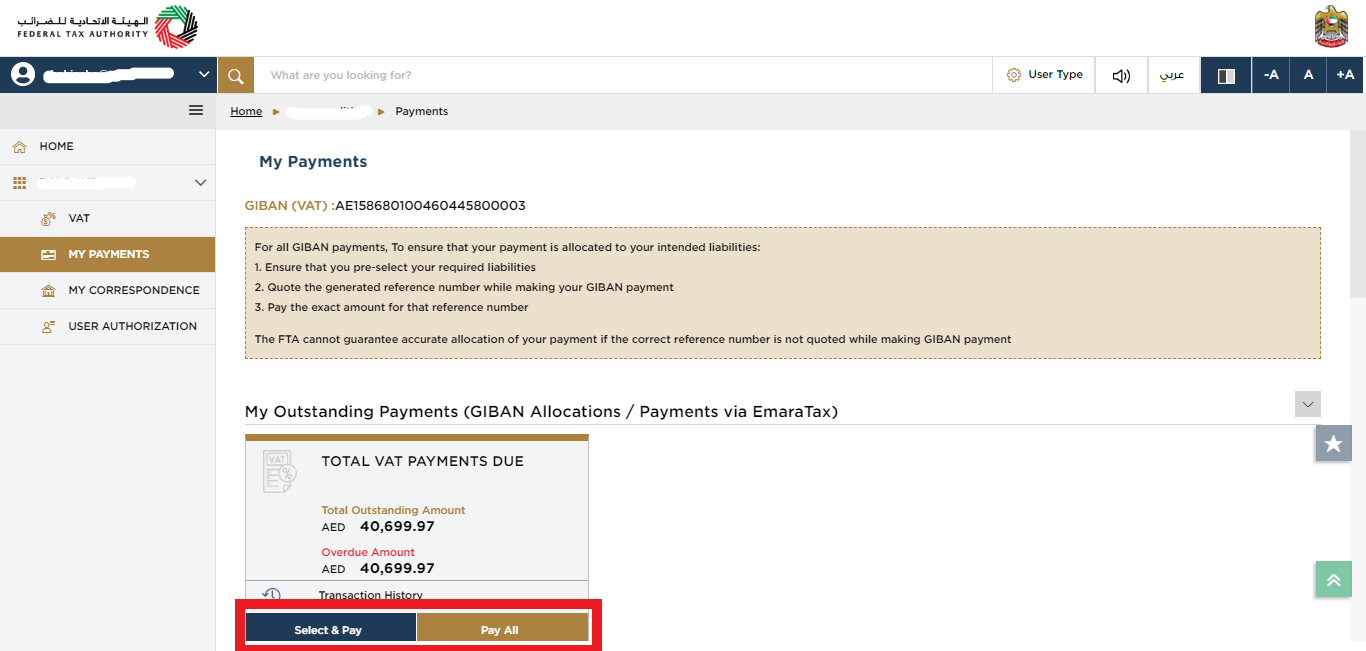
Step 4: Choosing the outstanding tax payment.
If you want to pay the total outstanding click on pay all
If want to select and pay a specific amount click on “select and pay”
Select the returns or penalties which you want to pay, then click on “proceed to payment”
Step 4: Select a payment method.
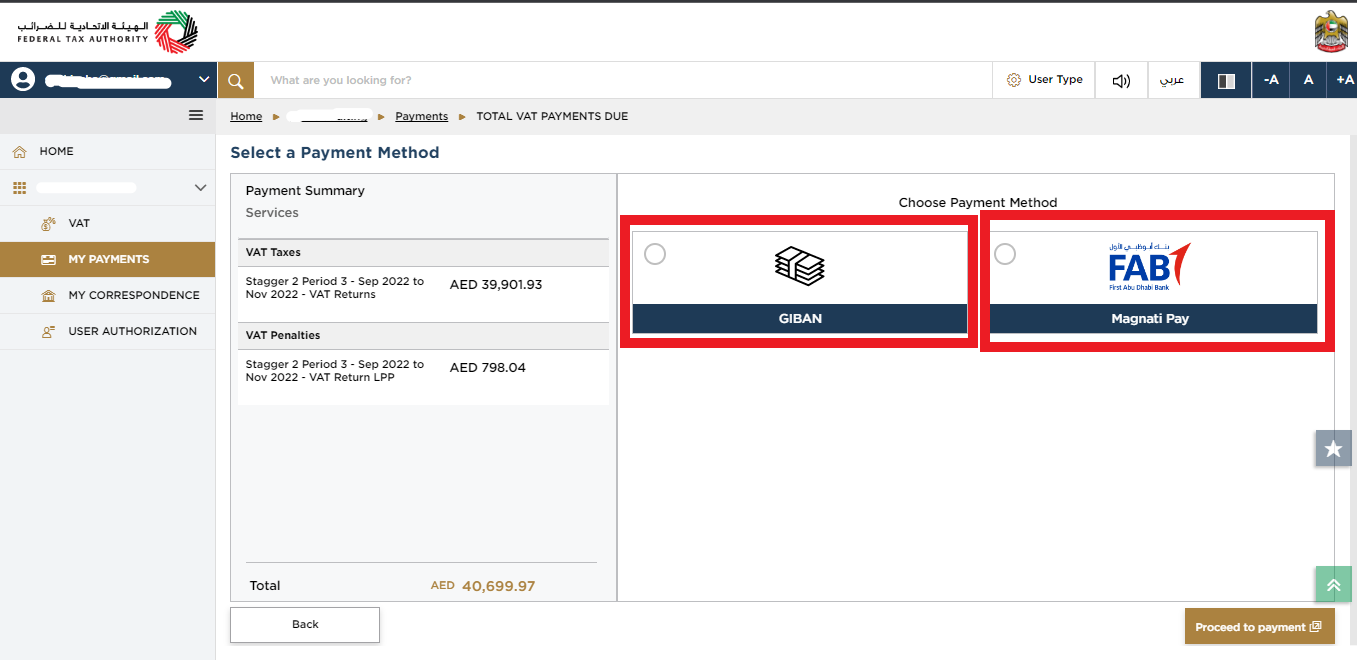
Make Tax Payment Through Credit or Debit Card
Select ‘Magnati Pay’ to pay through credit or debit card. Add your card details and pay.

Make FTA Tax Payment using GIBAN (Generated IBAN)
Select ‘GIBAN’, it will show the payment instructions with your GIBAN along with the Payment reference number.
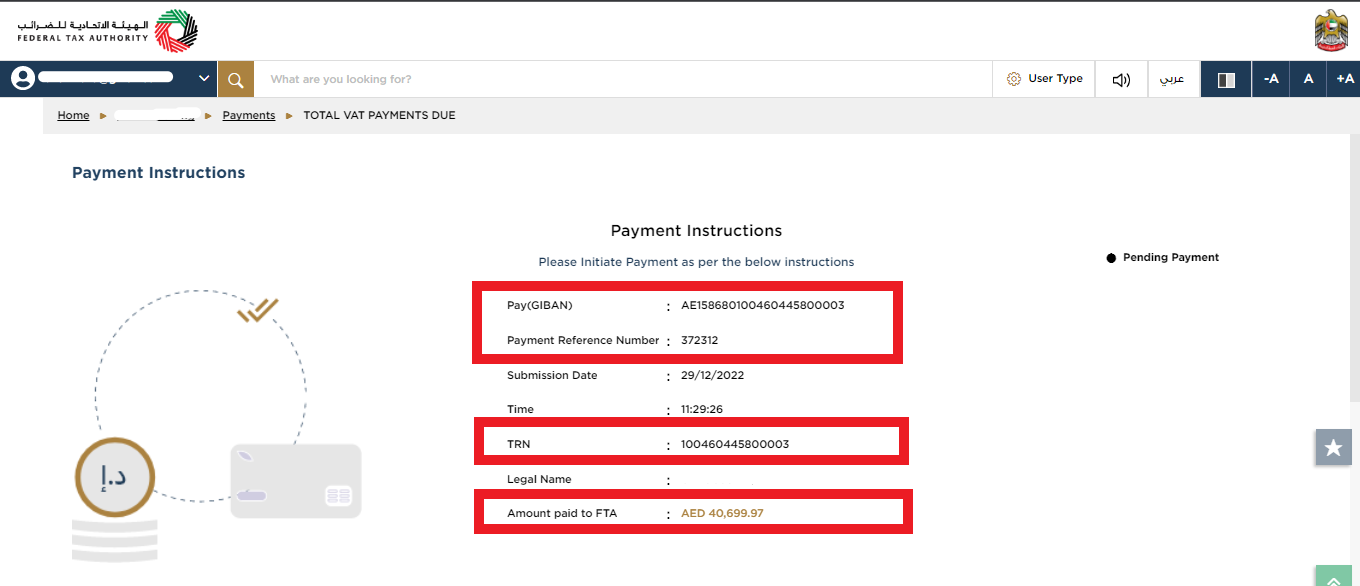
To make payments using GIBAN through your online banking portal, follow these steps:
If you are using online banking to transfer funds, you will need to add FTA as a beneficiary using the GIBAN number (AE798680104409754900003) and use following details:
The GIBAN as the “Beneficiary IBAN”;
– The ‘Federal Tax Authority’ as the “Beneficiary Name”;
– The ‘Federal Tax Authority’ as the “Account with Institution”
– The ‘CBAUAEAAXXX’ as the Swift code
– The amount due you wish to transfer in AEDOnce your GIBAN is validated, the transaction will be processed.
It may take up to 24 hours for the payment to be reflected in your account.
Make FTA Tax Payment through Exchange
- Visit an authorized exchange house in the UAE.
- Provide your TRN, Tax amount, GIBAN, Payment reference number and other necessary details.
How Xact Auditing can help?
Xact Auditing is offering comprehensive support to businesses and individuals in understanding complexities of making VAT payments and corporate tax payments and ensure compliance in UAE. By partnering with us, you can focus on achieving your business goal while Xact will handle your tax deadlines and tax payments effectively and efficiently. For best VAT services in UAE, contact us.
Xact Services
Zuha is a content writer at Xact Auditing, specializing in UAE accounting, audit, VAT, and Corporate Tax content. She delivers research-driven, clear insights by simplifying complex regulatory and compliance topics for UAE businesses. Her work is developed in collaboration with chartered accountants and tax professionals, ensuring alignment with IFRS, ISA, and FTA regulations. Content is written by Zuha and reviewed by Xact Auditing’s audit, accountants and tax experts for accuracy and compliance.
 Previous Post